
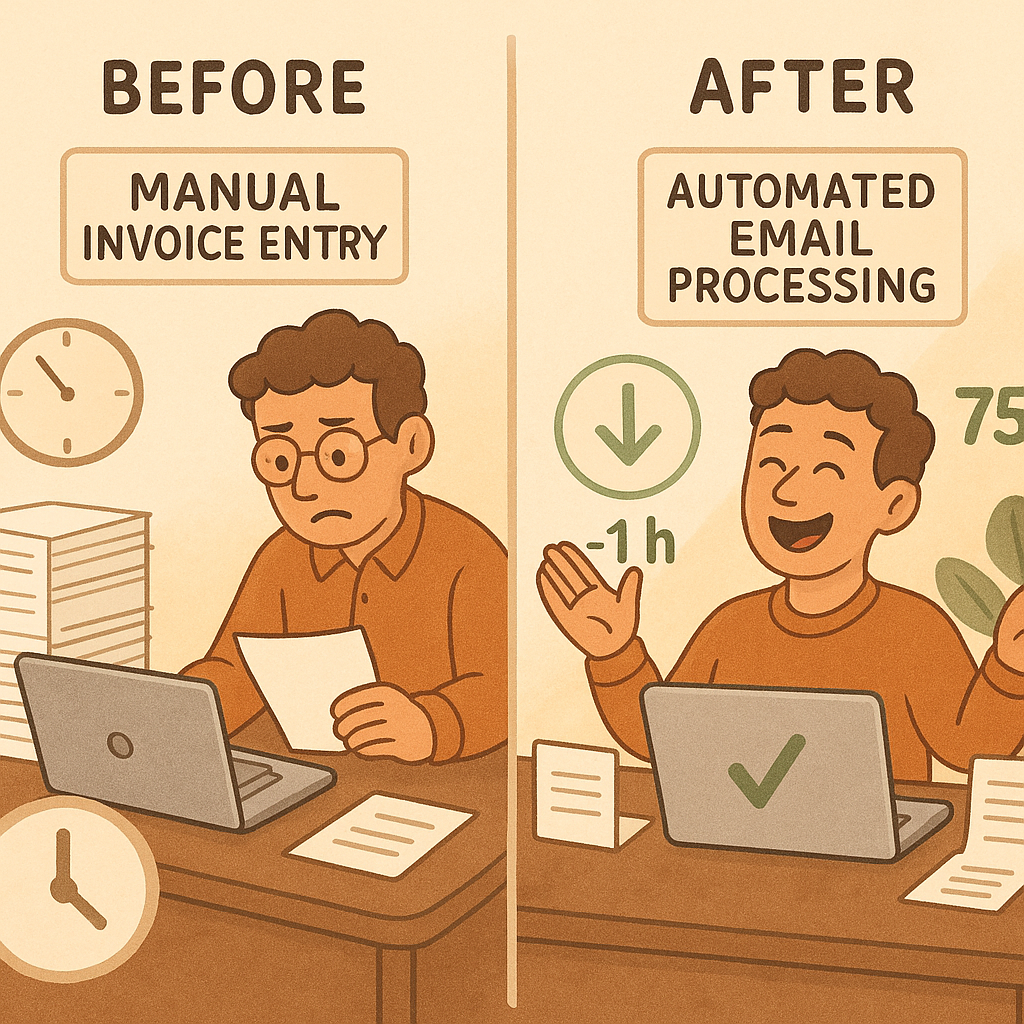
Small business owners spend countless hours manually transferring information from customer emails into QuickBooks. Every order email, purchase request, and vendor communication requires careful reading, data extraction, and manual entry into accounting systems. This time-consuming process not only drains productivity but also introduces opportunities for costly errors that can impact cash flow and customer relationships.
Solution
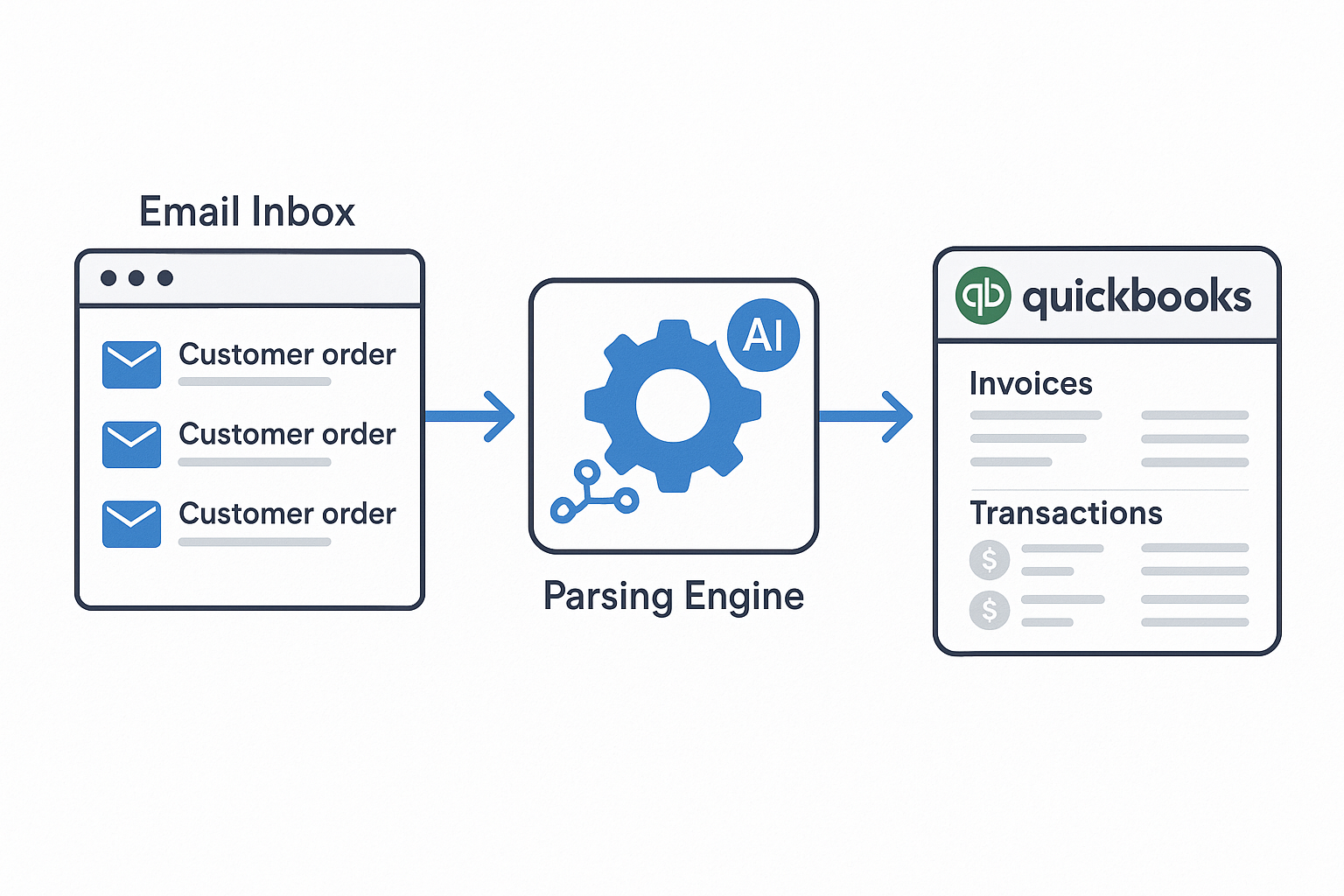
Email-to-QuickBooks automation transforms your inbox into an intelligent transaction processing center. Advanced parsing technology reads customer and vendor emails, extracts key transaction details, and automatically creates structured QuickBooks entries. The system handles everything from simple product orders to complex purchase orders, ensuring accurate data capture while maintaining the approval workflows that keep your business secure.
Why It Matters
Email-to-QuickBooks automation delivers immediate operational benefits that compound over time:
- Accelerated Cash Flow through faster invoice creation and reduced processing delays → Learn more about invoice automation
- Enhanced Accuracy with automated data extraction that eliminates manual transcription errors → Learn more about error handling
- Improved Customer Experience via faster response times and consistent transaction processing → Learn more about customer management
- Scalable Operations that grow with your business without proportional increases in administrative overhead → Learn more about business automation
Where to Begin
Getting started with email-to-QuickBooks integration is straightforward and designed to work with your existing workflows. Begin by connecting your email accounts and QuickBooks, then configure parsing rules that match your business processes. The system learns from your patterns and improves accuracy over time, making the transition seamless and the benefits immediate.
Key Elements of Email-to-QuickBooks Integration
Email Parsing to Invoice/PO/Bill
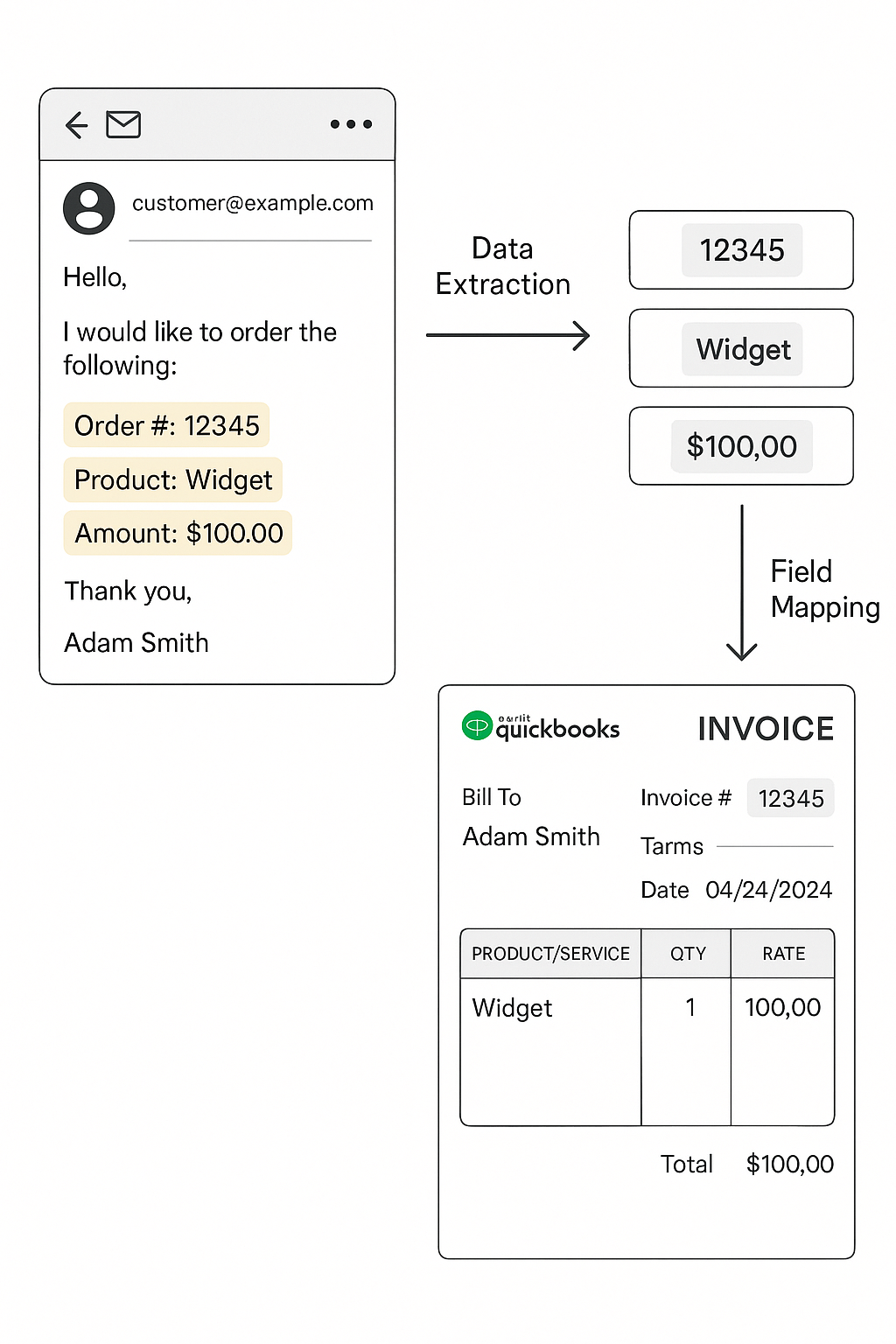
Intelligent parsing technology reads customer emails and vendor communications to identify transaction details. The system recognizes order patterns, extracts product information, quantities, and pricing, then structures this data for QuickBooks entry. Advanced natural language processing handles variations in email formats and customer communication styles.
Attachment Extraction
Automated processing of email attachments including purchase orders, receipts, and supporting documents. The system extracts relevant data from PDFs, images, and other file formats, incorporating this information into the transaction record. Document management ensures all supporting materials are properly linked and accessible.
Customer/Vendor Match
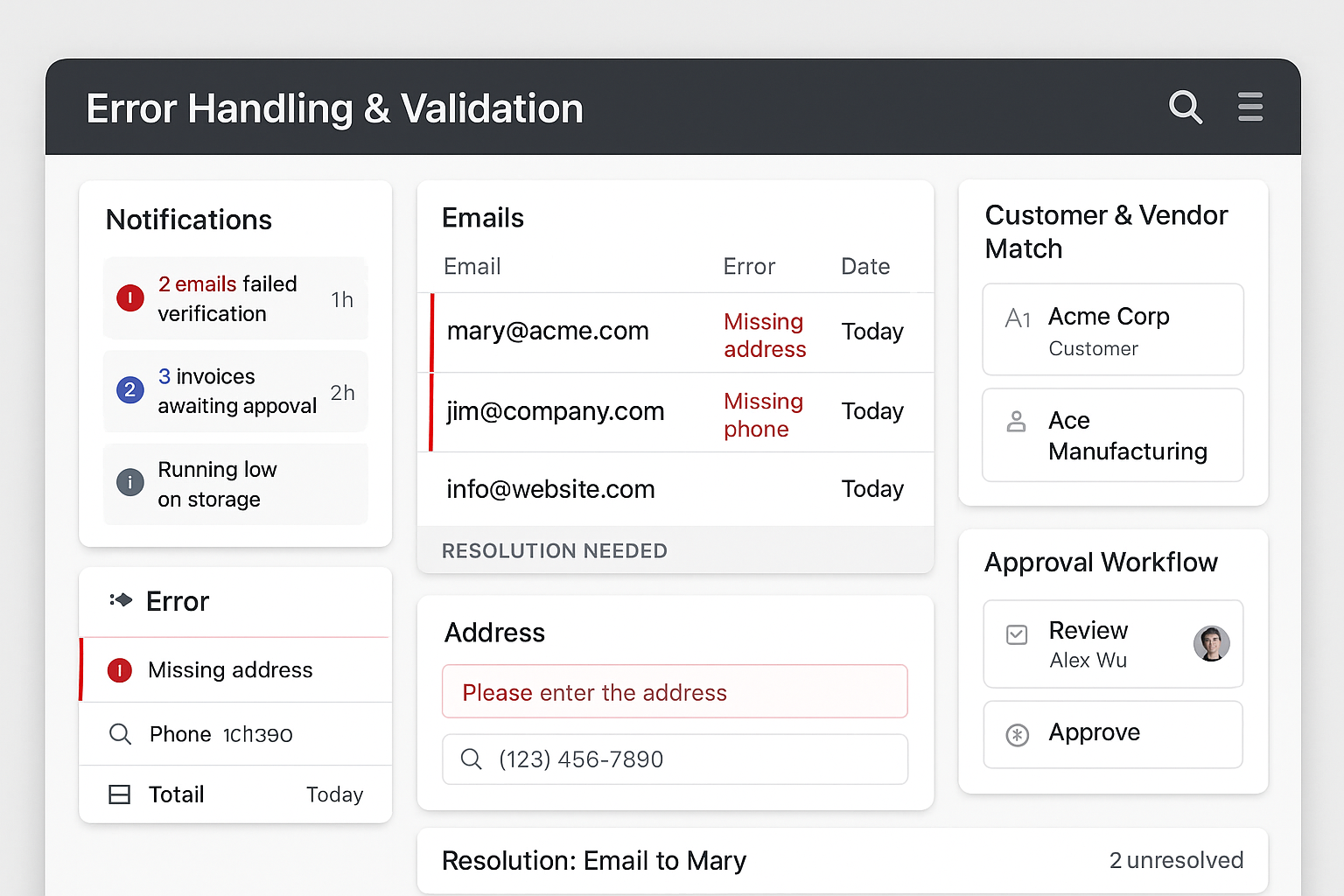
Smart matching algorithms connect email senders with existing QuickBooks customer and vendor records. The system handles name variations, multiple email addresses, and new contact identification. When matches are uncertain, the system prompts for confirmation while learning from your decisions to improve future accuracy.
QuickBooks Sync
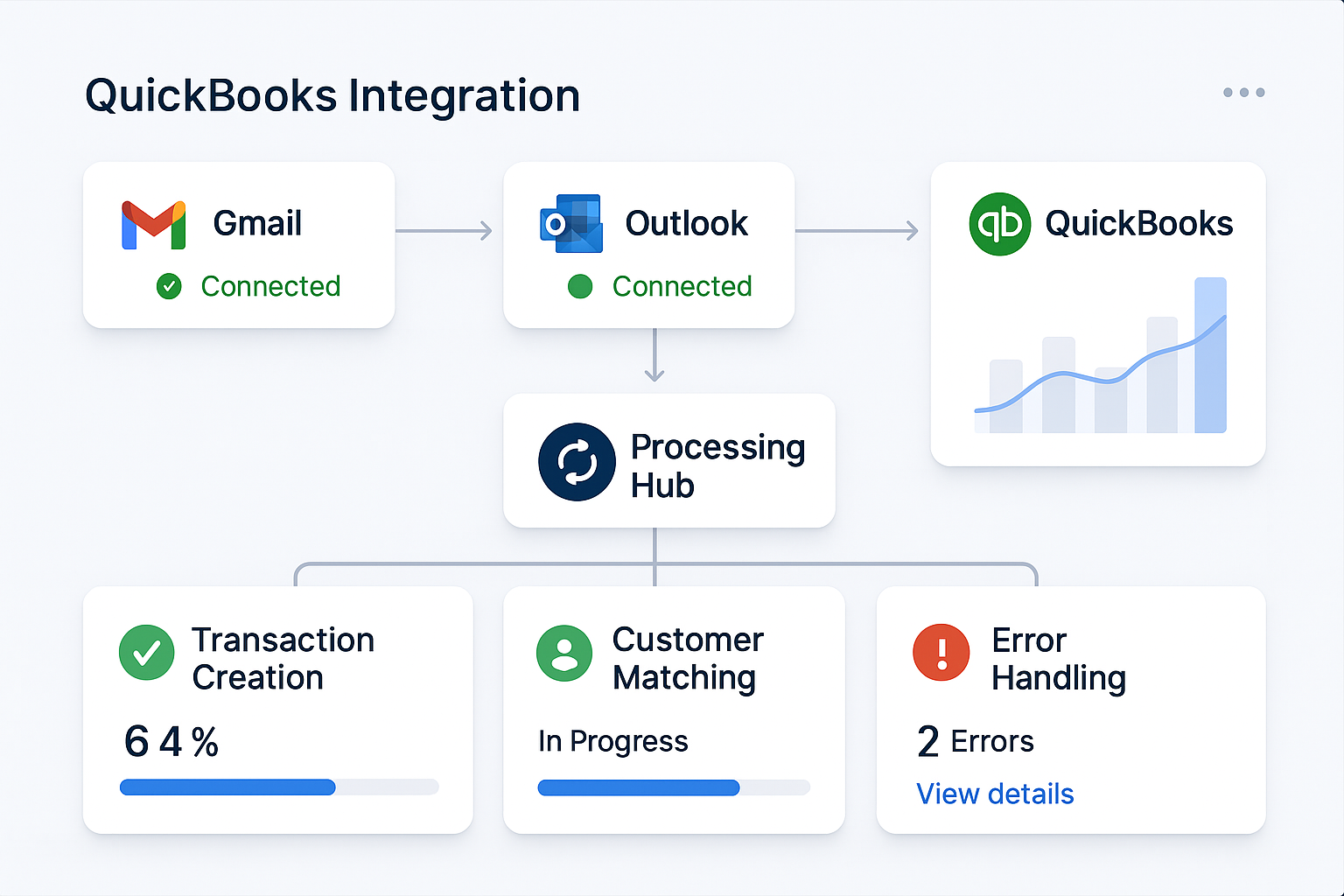
Seamless integration with QuickBooks Online and Desktop versions ensures transaction data flows directly into your accounting system. The sync process maintains data integrity, handles duplicate detection, and preserves your existing chart of accounts and customer structures. Real-time synchronization keeps your books current without manual intervention.
Error Handling
Comprehensive error detection and resolution workflows ensure data quality and system reliability. The system identifies missing information, validates transaction details, and provides clear prompts for resolution. Automated notifications alert you to issues requiring attention while maintaining processing flow for complete transactions.
Why It Matters for Small Businesses
Email-to-QuickBooks automation addresses critical operational challenges that small business owners face daily. Manual data entry consumes valuable time that could be spent on growth activities, while transcription errors create costly reconciliation issues. Automated processing eliminates these bottlenecks while providing the accuracy and consistency that professional operations require.
The system scales naturally with business growth, handling increased email volume without proportional increases in administrative burden. This scalability ensures that operational efficiency improves rather than degrades as your business expands. Integration with existing QuickBooks workflows means implementation enhances rather than disrupts established processes.
Customer satisfaction improves through faster response times and more accurate transaction processing. When orders are processed quickly and correctly, customers experience the professionalism and reliability that builds long-term relationships. The system's ability to handle complex transactions ensures that business growth doesn't compromise service quality.
Related Concepts & Ecosystem
Email-to-QuickBooks integration works seamlessly with broader business automation initiatives. Invoice Automation systems can extend the processing workflow to include payment tracking and follow-up communications. Customer Management tools leverage the transaction data to provide insights into purchasing patterns and relationship health.
Business Intelligence platforms can analyze the automated transaction data to identify trends, seasonal patterns, and growth opportunities. The integration creates a foundation for data-driven decision making that supports strategic business development.
Get Started
Implementing email-to-QuickBooks automation begins with a systematic approach that builds confidence through early wins:
- Connect Your Email Accounts: Link Gmail, Outlook, or other email providers to begin monitoring customer communications
- Configure QuickBooks Integration: Establish secure connection with your QuickBooks account and verify data mapping
- Set Up Parsing Rules: Define patterns for your most common transaction types and customer communication styles
- Test with Sample Emails: Process a small batch of recent emails to verify accuracy and adjust settings as needed
- Enable Automated Processing: Activate full automation with confidence monitoring and exception handling
The implementation process includes comprehensive testing and validation to ensure accuracy before full deployment. Training resources and support help your team understand the new workflows while maintaining operational continuity. Success metrics and reporting provide visibility into processing efficiency and accuracy improvements.
Start with your highest-volume, most standardized email types to demonstrate immediate value, then expand to more complex scenarios as your team gains confidence with the system. The goal is to create a reliable foundation that supports business growth while reducing administrative burden.